A Review Of The 20Bet App
Live betting with cashout, a full slots catalog, and a cashier that accepts local methods. That is the 20Bet app for you in a nutshell. The goal here is simple: Explain what to install, how to install it safely, and what to expect if an app icon does not appear for your device or province.
General Information About The 20 Bet App Experience
Here’s a quick snapshot before we go into the details:
- The mobile site and the apps share features, promos, and KYC.
- Expect pre-match and live markets, Bet Builder, cashout, slots, and 20Bet live-dealer games, plus access to Friday reloads, Drops & Wins, and other bonuses.
- Payments run in CAD, and limits and reality checks sit in the profile menu.
- If no app listing shows up for your device, save the website to your home screen, and it behaves like an app.
Registration20Bet App For iOS: What To Expect On iPhone And iPad
Some regions get a native App Store listing, while others are guided to take a different route. Both support logging in with Face ID or Touch ID and keep your session tidy.
How To Download And Install?
A short walk-through, right from the start to finish:
- Open the official site in Safari, sign in, and look for the Apps or Mobile banner.
- If an App Store button appears, tap it, install, and launch the 20Bet app.
- If there is no listing, go for a web app: Share → Add to Home Screen, name it “20Bet,” then add.
- Open the icon, allow Face ID for quicker re-entry, and opt into notifications only if wanted.
System Requirements
While the app functions well with pretty much every recent device, there are still some basics that your device will need to meet. Here’s a look at them:
- iOS Version: 13 or later.
- Free Storage: 200 MB for app data and cache.
- Network: Table 4G or Wi-Fi for live events.
- Security: Face ID or Touch ID enabled.
Compatible Devices
This is not a full list, but it does include the devices that usually handle live odds and live casino smoothly:
- iPhone: 8, X, XR, XS, 11, 12, 13, 14, and 15 series.
- iPad: 7th gen and later, iPad Air 3rd gen+, iPad Pro 2018+, and iPad mini 5+.
20Bet App For Android: Installing The Official APK
The Android app is almost always unavailable on the Google Play Store, which is why many pages mention the 20Bet APK instead of a Play Store link.
How To Download And Install?
Before installing, make sure that the file comes from the official domain:
- Visit the site in Chrome, log in, and look for the 20Bet App download button.
- Confirm the source, then save and open the APK.
- Allow installs from this source when prompted, finish setup, and launch.
- Sign in, toggle notifications if useful, and you are ready.
System Requirements
These specs keep live betting snappy and tables smooth:
- Android Version: 8.0 Oreo or later.
- Memory: 3–4 GB RAM or more.
- Free Storage: 200 MB for app and cache
- Network: Consistent 4G or Wi-Fi.
Compatible Devices
Plenty of mid-range phones run fine. As a guide:
- Samsung: A51, A54, S10–S24, and Note 10/20.
- Google: Pixel 4–8 series.
- OnePlus: 7T and later.
- Xiaomi/Redmi: Note 9 and later.
- Motorola/Oppo: 2020 mid-range models and up.
Update the APK from the same place that you downloaded it, as new builds usually replace the old one without uninstalling.
RegistrationMobile Website Version: No Installation And A Near-App Feel
When an app is not offered, the browser version does the job. Open 20Bet in Safari or Chrome, sign in, and add it to your home screen for one-tap access. The mobile site supports live odds, cashout, the full casino lobby, payments, 20Bet bonuses, and support. This is particularly useful for those who do not like to fill their phones up with apps. Besides, it functions the same way as an app does anyway, so it makes sense to play on the mobile version.
Mobile Betting Options: Tools That Matter On A Small Screen
From live markets to accumulator boosts, bet builder, and more, mobile betting on 20Bet has everything you need. Here’s a more detailed look:
- Pre-Match And Live Markets: NHL, NBA, European football, tennis, and more; prices update in real-time.
- Bet Builder: Combine same-game markets into a single slip — good for props.
- Cashout: Settle early on eligible events to lock profit or limit risk.
- Accumulator Boosts And Forecasts: Mobile access to acca boosters and weekly pick contests.
- Bankroll Helpers: Deposit from the slip, then return to your market without losing selections.
- Alerts: Enable push notifications in the app for goals, odds moves, or bonus reminders.
RegistrationMobile Casino Options: Slots, Live Tables, And Races
The 20Bet Casino matches the sportsbook in that it brings every single desktop feature to your mobile:
- Slots Library: Quick filters, fast loading in portrait, and popular titles at the top.
- Live Casino: Blackjack, roulette, baccarat, and game shows; quality adapts to your connection.
- Tournaments: Daily slot races and Pragmatic Drops & Wins with mobile leaderboards.
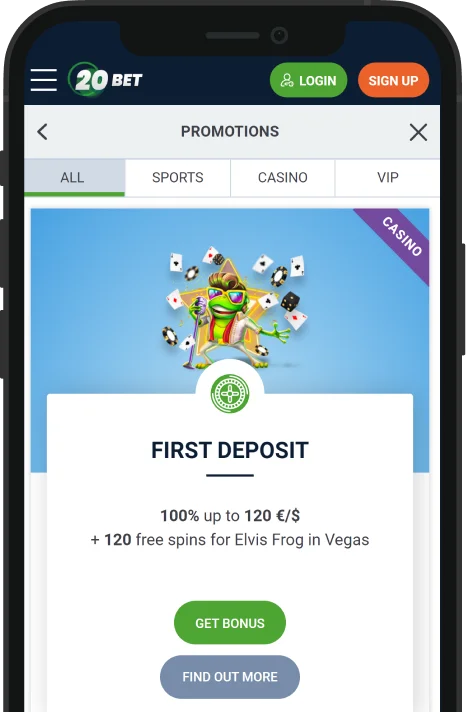
- Bonus Triggers: Friday reloads, secret bonuses, and spin bundles can be claimed in a few taps.
- Controls: Deposit limits, cool-off, and reality checks live under profile settings.
Frequently Asked Questions
Availability changes by region. If an App Store link does not appear, use the mobile site or the Android APK from the official domain.
Yes, when the file comes from the official 20Bet website.
Performance is close on modern phones. The app adds push alerts and slightly faster navigation, while the mobile site needs no storage and updates itself.